This morning's trades
Exposure is calculated overnight, so deals booked since 7am are missing from the figure the desk checks against.
Credit risk
Counterparty exposure changes with every new trade and every market move. Calseda keeps each counterparty's exposure and limit use current all day, so a deal can be checked against that figure before it is done. If a limit is crossed, the right people are told at once.
What you can't see today
Exposure is calculated overnight, so deals booked since 7am are missing from the figure the desk checks against.
A sharp move in rates or currencies changes exposure at once. The report shows it tomorrow.
A downgrade should shrink the room left under a limit straight away. Often it waits for the next run.
Without a current figure, a breach turns up in a report after the fact, and someone then has to chase the desk.
What you'd see instead
The overnight run finishes. Counterparty C is at 82% of its limit.
A rating agency cuts Counterparty C from A to BBB+. Nothing changes on screen.
The desk books a large swap with Counterparty C, checked against the 07:00 figure. It passes.
The morning report shows Counterparty C over its limit. Credit asks the desk what happened.
The rating change arrives. Counterparty C's limit use goes from 82% to 91% at once, and turns amber.
Before booking, the desk checks the swap against the current figure. It would take Counterparty C to 104%.
The desk can resize the deal, or ask credit for an exception, with the same current figures in front of both.
If a limit is crossed, credit is told at once, with the trade or rating change that caused it.
An example with simulated data.
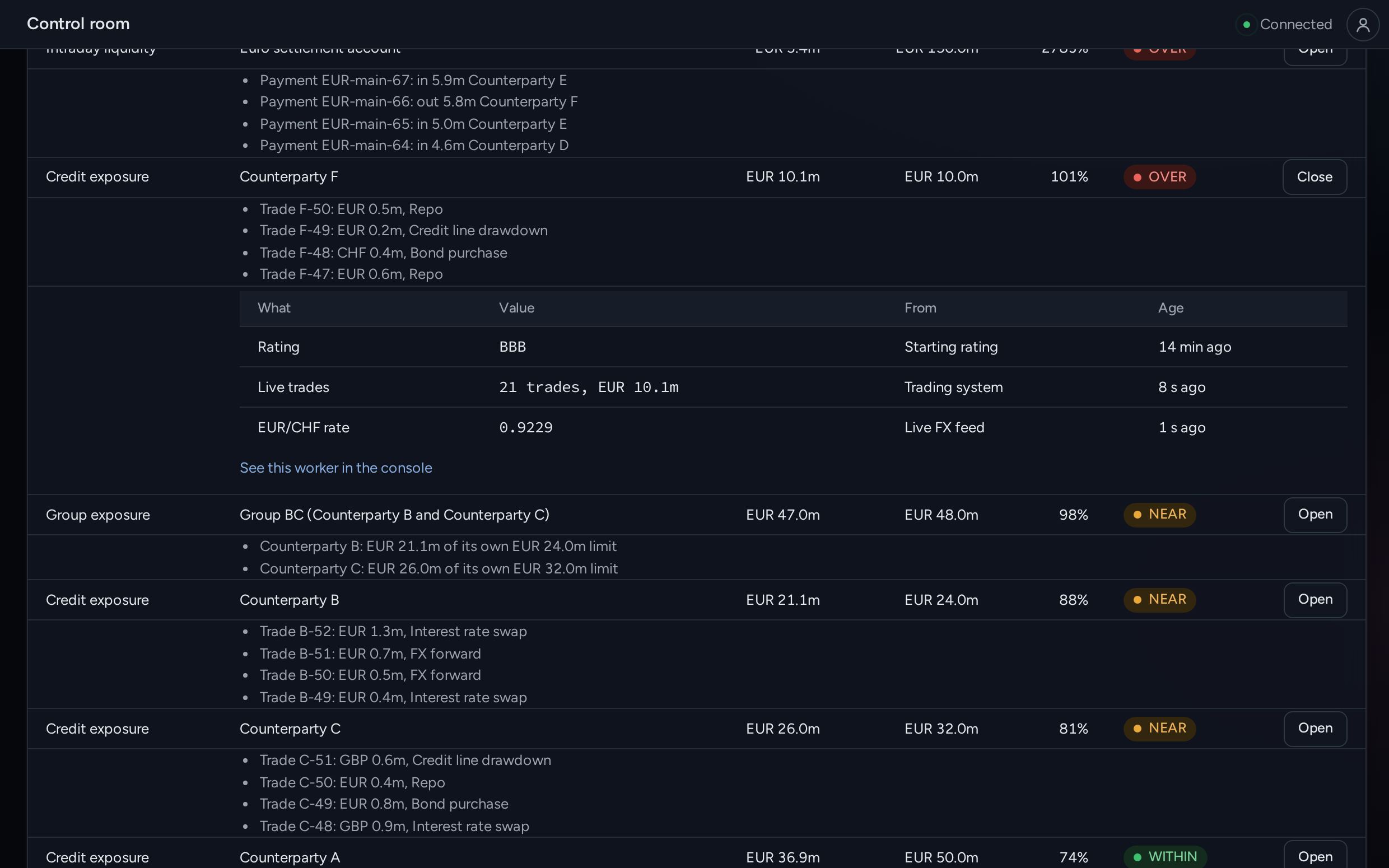
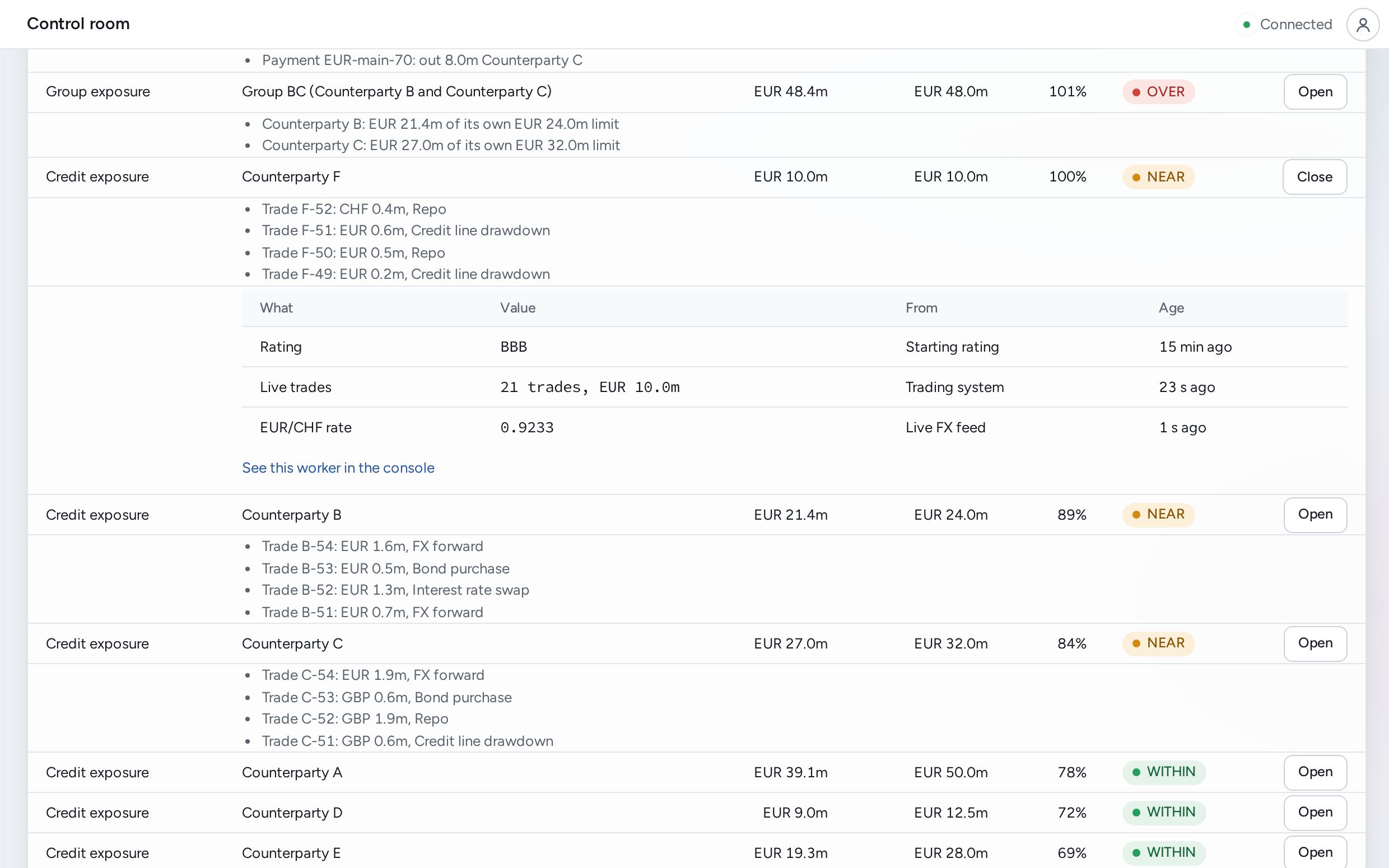
Each counterparty's exposure and limit use, recalculated when its trades or market data change, and only then.
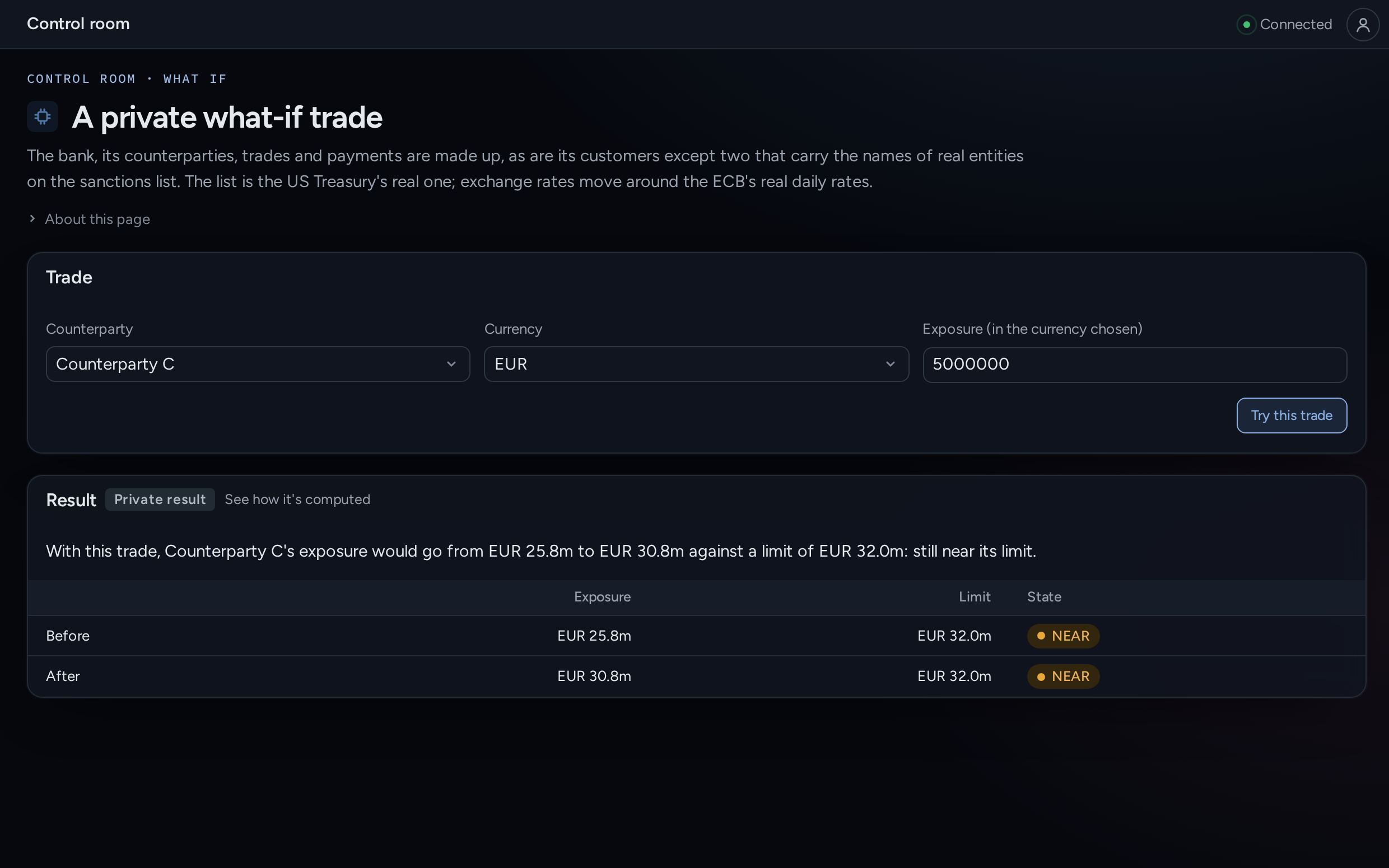
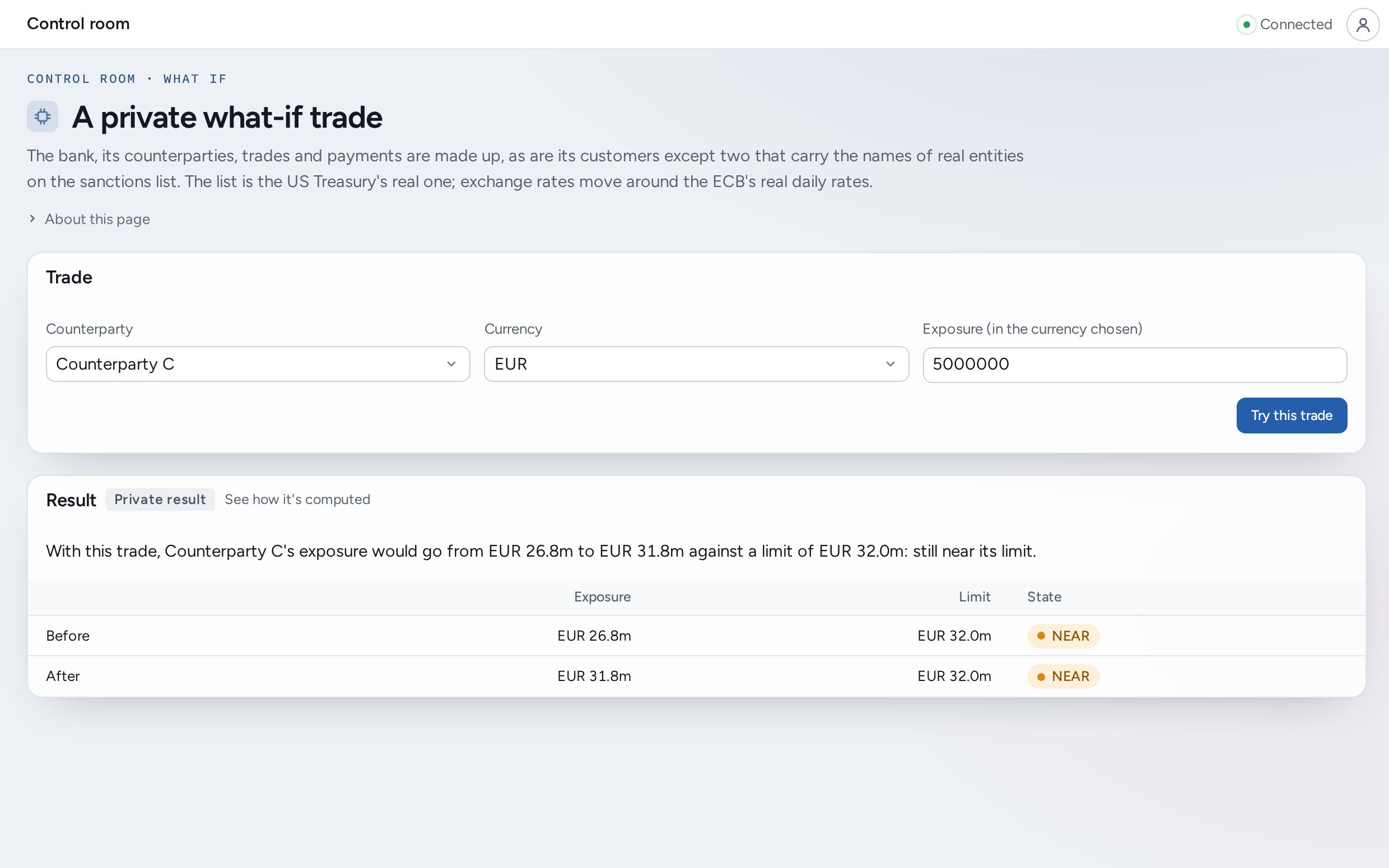
A proposed deal is tested privately against the current figure. Nobody else sees it, and nothing is booked.
An alert reaches credit in Teams or Slack once per crossing, with what caused it.
Analysts keep their spreadsheets, with live figures in the cells instead of pasted copies.
See it in a demo
In a demo, a simulated bank's exposure to six counterparties moves as trades arrive. Cut a rating and the limit shrinks with it. Open any row to see the trades and rates behind the figure, each with its source and age.
Use it yourself, no sign-in: Every limit, watched all day ↗ · A private what-if trade ↗
What changes for your team
Breaches are seen when they happen, while something can still be done. The alert says what moved the figure, so the call with the desk starts from what happened.
"What if this counterparty is downgraded two notches?" is a private question on the live data, from a browser or Excel.
What your regulator or auditor gets
How it starts
For example, exposure for one desk, or for one group of counterparties.
Trades and market data, read from the systems that already produce them. Nothing is replaced.
Your developers, or ours, write the exposure calculation. Calseda does the rest.
It runs alongside today's process, so your team can compare the two before relying on it.
Become a design partner: a pilot on generous terms, in exchange for a case study published only with your approval.